


Samsung Galaxy S Ultra Series Rental at Incheon Airport Terminal 1 & 2 (Zim Zero)
Checked out by 2.7k travelers
Availability
Minimum Pax
Confirmed
Ticket
Meet Location
- Incheon International Airport Terminal 1 & 2
Included
- Samsung Galaxy S23/24/25/26 Ultra rental
- Power bank (10,000 mAh)
- Data transfer service (optional)

Samsung Galaxy S Ultra Series Rental at Incheon Airport Terminal 1 & 2 (Zim Zero) Options
Pick up & drop off at Terminal 1 - S23 Ultra Rental
Pick up & drop off at Terminal 1 - S24 Ultra Rental
Pick up & drop off at Terminal 1 - S25 Ultra Rental
Pick up & drop off at Terminal 1 - S26 Ultra Rental
Pick up & drop off at Terminal 2 - S23 Ultra Rental
Pick up & drop off at Terminal 2 - S24 Ultra Rental
Pick up & drop off at Terminal 2 - S25 Ultra Rental
Pick up & drop off at Terminal 2 - S26 Ultra Rental
Pick up at Terminal 1 → Drop off at Terminal 2 - S23 Ultra Rental
Pick up at Terminal 1 → Drop off at Terminal 2 - S24 Ultra Rental
Pick up at Terminal 1 → Drop off at Terminal 2 - S25 Ultra Rental
Pick up at Terminal 1 → Drop off at Terminal 2 - S26 Ultra Rental
Pick up at Terminal 2 → Drop off at Terminal 1 - S23 Ultra Rental
Pick up at Terminal 2 → Drop off at Terminal 1 - S24 Ultra Rental
Pick up at Terminal 2 → Drop off at Terminal 1 - S25 Ultra Rental
Pick up at Terminal 2 → Drop off at Terminal 1 - S26 Ultra Rental
Promotion
📆 How to count the days of rental
- Rental days are counted per calendar day, including the day of pick-up.
- For example, if you want to start the rental on March 1st and return on March 5th, please make a purchase for "5 days."
Overview
Capture your K-pop moments in high quality with a Galaxy S Ultra rental at Incheon Airport!
Record every moment in premium camera quality with this Galaxy Ultra rental service, so your memories stay vivid long after your trip. Pick up your device right after landing at Terminal 1 or 2 and start filming right away, then return it at either terminal before departure for a smooth, flexible experience.
Why this service?
Record every moment in premium camera quality with this Galaxy Ultra rental service, so your memories stay vivid long after your trip. Pick up your device right after landing at Terminal 1 or 2 and start filming right away, then return it at either terminal before departure for a smooth, flexible experience.
Why this service?
- Easy pick-up and drop-off at Incheon Airport Terminals 1 and 2
- Latest Galaxy Ultra models available, including S23, S24, S25, and S26
- Power bank included so you can shoot all day without worry
- Optional data service to securely save your photos and videos
- Trusted service serving travelers at Incheon Airport since 2016
| Samsung Galaxy S Ultra Series Rental | |
|---|---|
| Operating hours |
|
| With its powerful zoom and high-quality video performance, the Ultra Series is a popular choice for fans attending K-pop concerts and events. Rent one and capture your favorite artists with exceptional clarity! Components
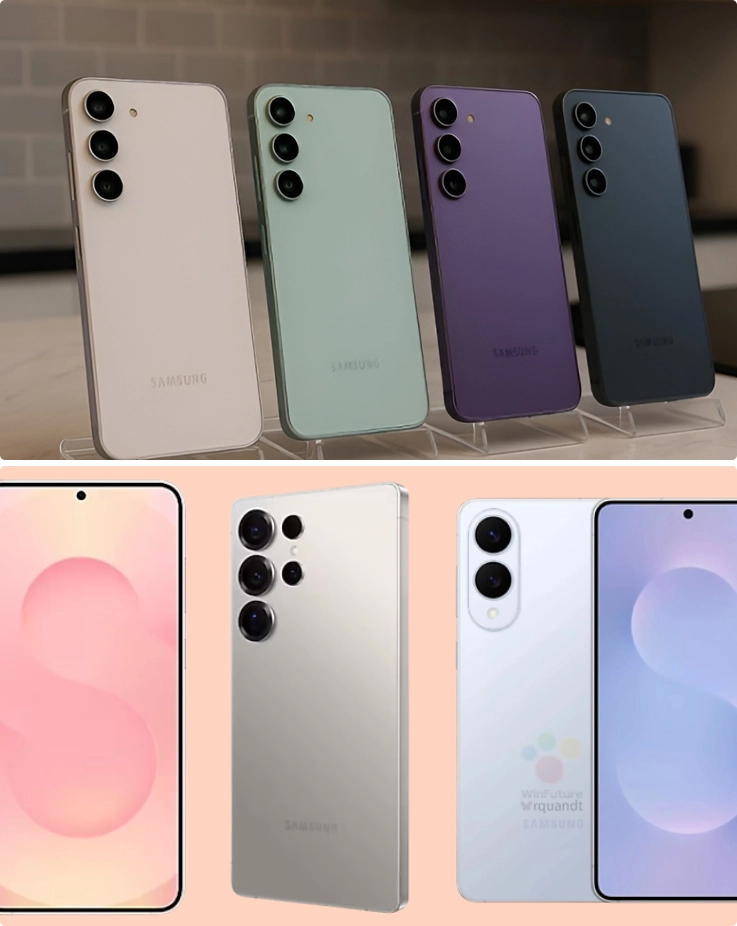 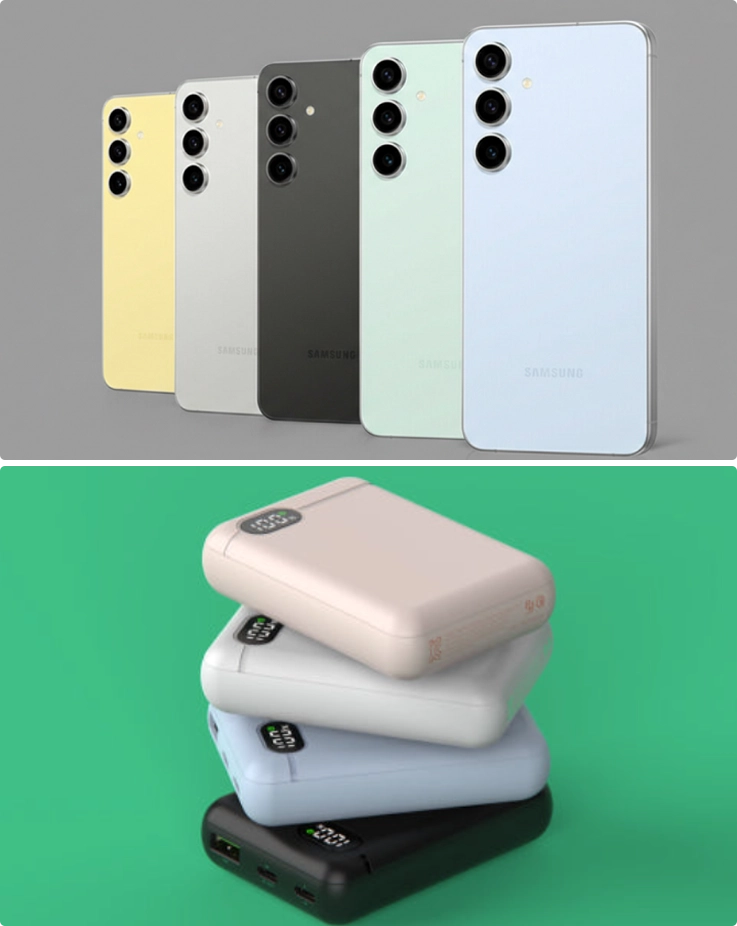 [Optional Add-ons] Data transfer service This service is for customers who need an easy way to transfer large video files from the rental phone to their personal device. How it works
| |
| How to Use the Service | |
|---|---|
| Pick-up Process |
*Rental is not available without a passport. *Rental items cannot be picked up or returned outside of operating hours. |
| Return Process |
|
| Pick-up & Drop-off Location | |
|---|---|
| |
| ICN Terminal 1 | Pick up & Drop off 1st floor, next to the elevator near Exit 5  |
| ICN Terminal 2 | Pick up & Drop off 1st floor, next to the elevator near Exit 3  |
Price
| Option/Price | Included | Included |
|---|---|---|
S23 Ultra Rental S23 Ultra rental (per day) Optional Add-on: Data transfer service S24 Ultra Rental S24 Ultra rental (per day) Optional Add-on: Data transfer service S25 Ultra Rental S25 Ultra rental (per day) Optional Add-on: Data transfer service S26 Ultra Rental S26 Ultra rental (per day) Optional Add-on: Data transfer service | - Samsung Galaxy Ultra series rental - Power bank (10,000 mAh) - Charger - Camera protection case - Data transfer service (optional) |
- The minimum rental period is 3 days. If you pay for 3 days, you may also rent for 1-2 days.
- You will be required to fill out a form after completing the reservation. Your reservation will be finalized once the operator confirms the form.
- The Galaxy S Ultra series rental service does not support communication services such as USIM (device rental only).
How to book
- 1. Complete your booking.
- 2. Check your email.
- 3. Enjoy it.


Please keep in mind
- The Galaxy S Ultra series rental service does not support communication services such as USIM (device rental only).
- To change your pickup time or terminal, please contact the customer service center at least 1 day before the scheduled pickup date (no later than 6:00pm KST). Changes requested after this time cannot be accommodated.
- You will be required to fill out a form after completing the reservation. Your reservation will be finalized once the operator confirms the form.
- If additional fees are not paid, the rental item is not returned, or the operator cannot contact you for 3 days, legal action may be taken.
[Lost or Damaged Items Policy]
- No repair fees will be charged for minor scratches or general wear and tear.
- If the product is damaged but can be repaired, a receipt for the repair cost will be provided.
- If the product is lost or damaged beyond repair during the rental period, 100% of the product's retail price will be charged.
Cancellation policy
All times are based on Korea Standard Time (KST) (GMT + 9 hours)
3 days before the reserved date (by 5:00pm): 100% refund
2 days before the reserved date (by 5:00pm): 50% refund
2 days before the reserved date (after 5:00pm): Non-refundable
*If you would like to reschedule your reservation, please check the availability with us at least 3 days before the original reserved date (no later than 12:00pm KST).
*To change your pickup time or terminal, please contact the customer service center at least 1 day before the scheduled pickup date (no later than 6:00pm KST). Changes requested after this time cannot be accommodated.
3 days before the reserved date (by 5:00pm): 100% refund
2 days before the reserved date (by 5:00pm): 50% refund
2 days before the reserved date (after 5:00pm): Non-refundable
*If you would like to reschedule your reservation, please check the availability with us at least 3 days before the original reserved date (no later than 12:00pm KST).
*To change your pickup time or terminal, please contact the customer service center at least 1 day before the scheduled pickup date (no later than 6:00pm KST). Changes requested after this time cannot be accommodated.
FAQ
Does the Galaxy S Ultra rental include USIM or calling services?
No, the Galaxy S Ultra rental is a device-only service and does not support communication services such as USIM, calls, or mobile data.
Where can I pick up and return the Galaxy S Ultra rental at Incheon Airport?
You can pick up your device at Incheon Airport Terminal 1 or Terminal 2 right after arrival. Return is available at either terminal before departure, allowing for a flexible and convenient experience.
Can I change my pickup time or terminal after booking?
Yes, changes to your pickup time or terminal are possible if you contact customer service at least 1 day before your scheduled pickup date (no later than 6:00 PM KST). Requests made after this deadline may not be accommodated.
Destination
Incheon Inernational Airport (ICN)
Address: Incheon International Airport (ICN), 272 Gonghang-ro, Jung-gu, Incheon, South Korea
Reviews

This activity is included in

Looking for other options?


You might also like


Other top picks in the region


Top Tours in South Korea
Seoul
Jeju
Busan
Incheon
Top Activities in South Korea
Seoul
Jeju
Busan
CLUBD OASIS Spa & Waterpark in Busan Discount Ticket
Busan City 1 Day Tour (+ Bamboo Forest/Sky Capsule/Yacht Tour option)
Busan Sightseeing Yacht Tour in Gwangalli Beach by Yacht Holic
Busan Marine Yacht Tour (Join-in/ Private/ Drone Show)
Noir Hair Salon in Busan: Gwangalli Beach/ Seomyeon/ Sajik/ Dadaepo
Incheon
Daegu
Top Tickets & Shows in South Korea
Seoul
2026 SBS Gayo Daejeon (Music Awards) Summer Ticket Package (Aug 9)
SBS Inkigayo Seoul Tour Package
Lotte World Discount Ticket
Caribbean Bay Discount Ticket
The Show Tour Package
Lotte World Tower Seoul Sky Bridge Tour
2026 K-World Dream Awards Ticket Package (Aug 27)
2026 Hangang Night Walk 14K at Yeouido Hangang Park (Aug 1)
Jeju
Horse Show in Jeju
Parasailing in Jeju
Jeju Jet Boat - near Jungmun Tourist Complex
Aqua Planet Jeju Discount Ticket + Ocean Arena Show + Special Exhibition
Arte Museum in Jeju Discount Ticket
Hello Kitty Island Jeju Ticket
Camellia Hill Jeju Discount Ticket
Gokart/ Water Sled/ Zipline/ Paintball in Jeju
Bonte Museum
Horse Riding on Jeju Island's HIllside
Busan
CLUBD OASIS Spa & Waterpark in Busan Discount Ticket
Sea Life Busan Aquarium
KidZania Busan Discount Ticket
Running Man & Dynamic Maze in Busan
Lotte World Adventure Busan Discount Ticket
2026 Jeongnamjin Jangheung Water Festival 1 Day Tour (+ MyK Festa Concert) (Jul 25, 26, 30, Aug 1) - from Busan
VAUNCE UNIVERSE Trampoline Park Busan Ticket
Daegu